Origami light
Summary
This is a modular origami that has been fitted with LED lights a tilt sensor and a light sensor. It will detect darkness and light up. Alternatively, it will also light up if it detects movement. It can be used as emergency lighting or simply as a light. In this page there is information about how it was designed and made.
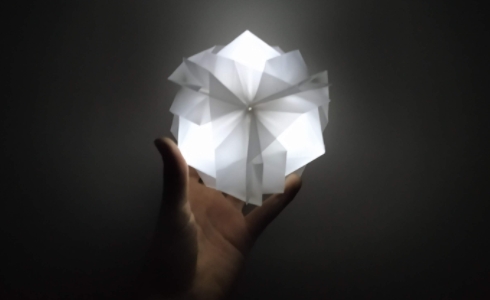
Functionality
The origami light can be used in several ways:
- As an ornament
- As an emergency light (e.g. during a power outage)
- As a night light
As an ornament, modular origamis are always interesting to look at and can offer to the aesthetics of a room.

The origami is equipped with a light sensor. When the room goes dark, the origami lights up revealing its position. Afterwards, it can be picked up by the user and help traverse a dark area.
The origami is also equipped with a tilt sensor - it will light up upon sensing movement if someone picks it up. The user can pick it up and use it as a night light (e.g. for visiting the kitchen late at night for a glass of water).
The origami
The origami is a modular design and was found in the book "a handbook of origami" by Rick Beech. It is called "Japanese brocade" and can be found at page 232 of this book.
This origami is made of six square papers of dimensions 22x22cm:
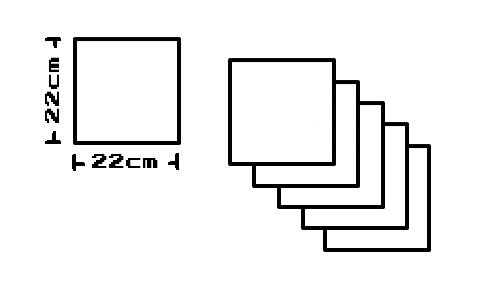
The paper used in this project is hard, plastic, water resistant and, of course, transparent. This kind of paper is not meant for folding into origami and was hard to work with but gives a very durable result. Using durable paper is recommended for this project.
In order to make the origami, each of the six square papers is folded into identical puzzle like pieces. Afterwards, the six pieces interlock with each other to make the final design.
Folding the six pieces:
-
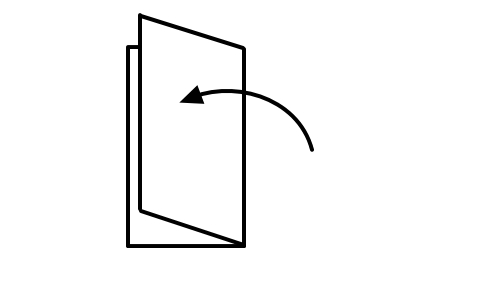
The paper is fold in half. The right edge should touch the left edge of the square:
-
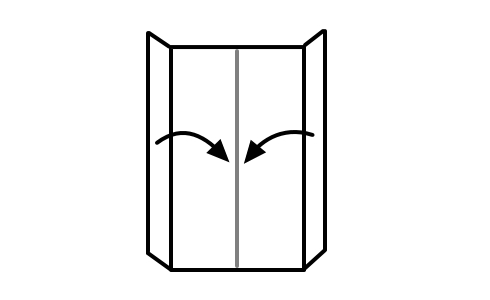
The first fold is undone and the left and right edges of the square are folded to meet the visible
crease that was made by the fold in step 1:
-
The top right corner is fold to the left edge and the bottom left corner to the right edge:
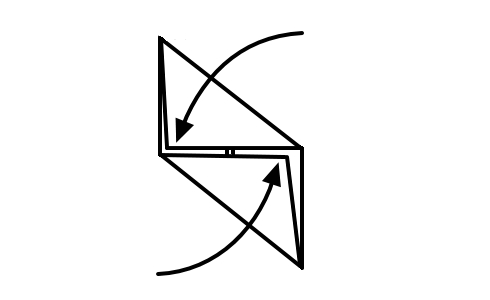
-
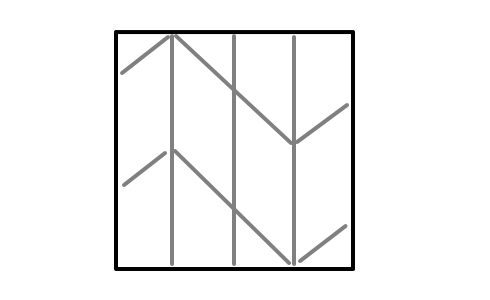
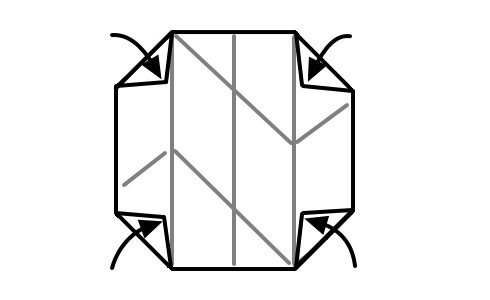
The paper is unfold completely. The corners of the square paper are fold along the visible quarter
creases as shown:
-
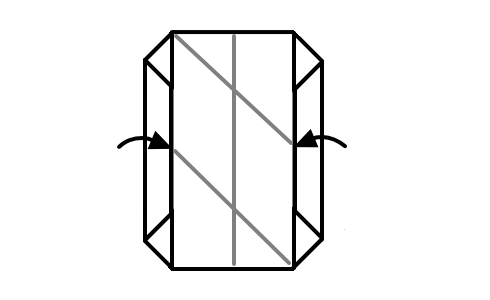
The right and left edges are fold inwards along the vertical quarter crease:
-
The top right corner is fold along the left quarter crease:
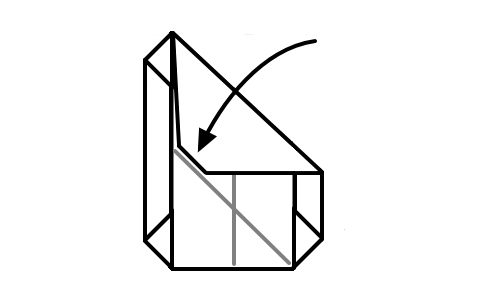
-
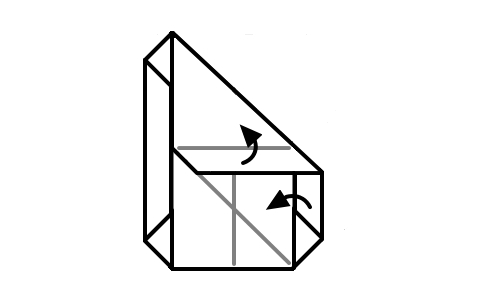
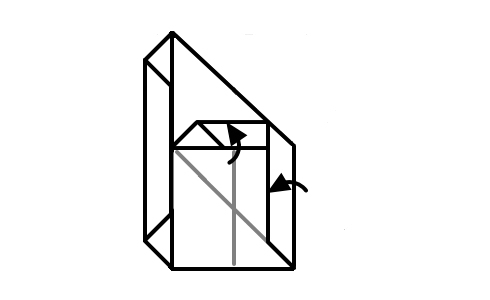
The right edge and the edge at the bottom of the previous folded part are folded simultaneously as
shown bellow. The two folds must happen at the same time because one enables the other.
-
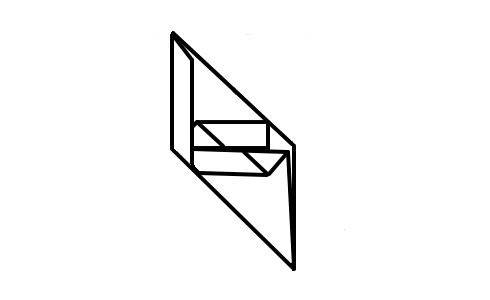
The previous two steps are mirrored for the bottom left corner resulting to this:
-
Finally what was originally the bottom left corner is tucked under the flap near the right edge.
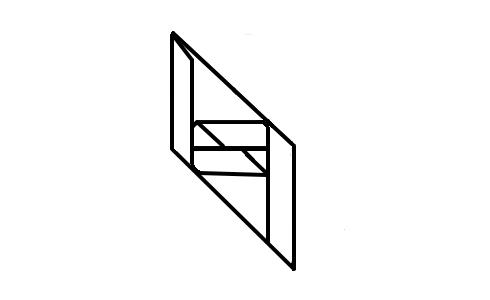
All six pieces must be folded as described above. Afterwards the six pieces can be put together like a puzzle to form a cube. The pieces consist of a face part and two flaps.
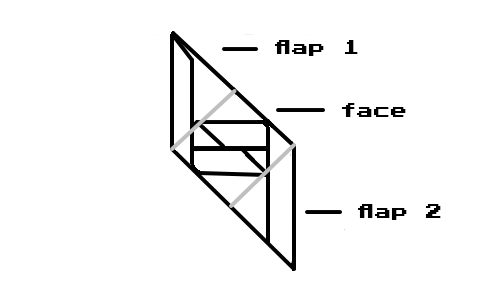
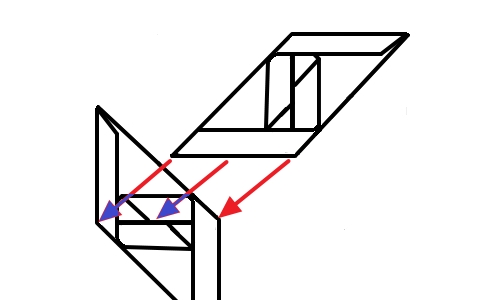
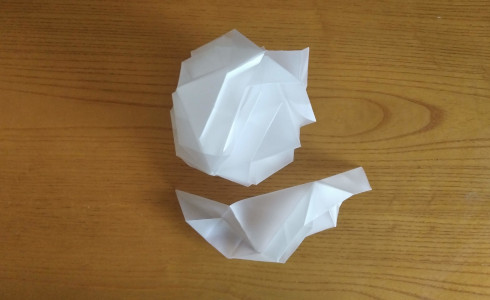
The flaps of one piece are docked into the face parts of other pieces creating the final result.
Chassis
In order to fit the electronics inside the origami a special chassis was designed in Fusion360.
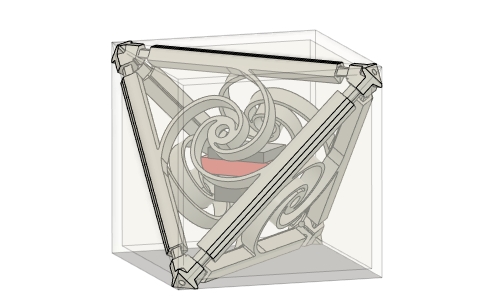
The origami is cube-shaped and is decorated by a tetrahedron pattern on the outside. The chassis was designed in a tetrahedron shape so that these decorations would protect the chassis edges from impact.
The chassis is designed a bit larger than the available cavity in the origami but has the ability to be compressed. When compressed and fit into the origami, it expands wedging itself tightly into the origami's cavity. In order to give the chassis its springiness, a compliant mechanism was used. The face part was designed to have a spring-like action when compressed.

The golden ratio was used as reference for designing these spirals in hopes that they would create interesting shadows.
The chassis consists of eight parts that are identical by four. There are four identical face parts and four identical corner parts.
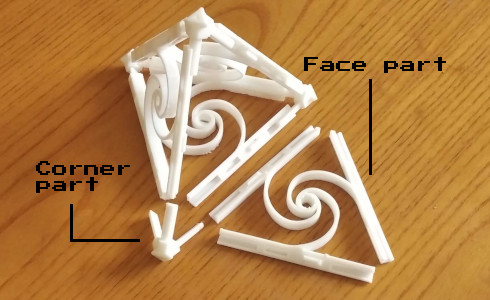
The LEDs are meant to be fitted at the center holes of the face parts. The electronics and battery are hanged in the center of the tetrahedron using springs or rubber bands that attach to the tetrahedron's corners.
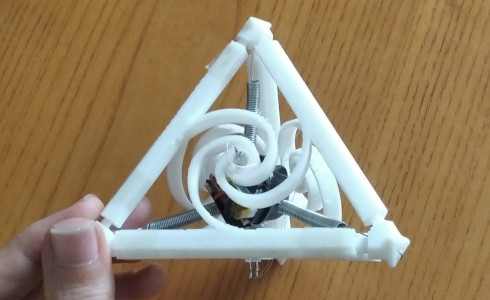
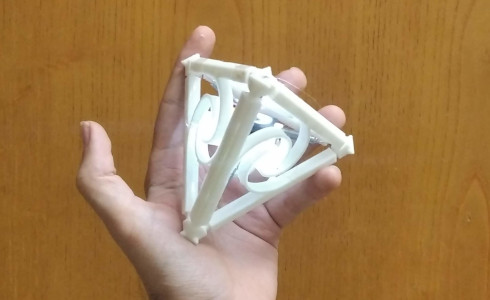
This ensures that the heavier parts are not rigidly attached to the chassis and can help make the structure more durable.
When the chassis is compressed, the forces that are developed help keep the chassis parts together. This is why there is no need for fasteners or glue to assemble it. When the electronics are installed, the forces exerted to the chassis from the springs (or rubber bands) compress the chassis a bit and help keep it together.
The parts can be easily 3D printed without supports. They should be 3D printed with an orientation as shown in the next images:
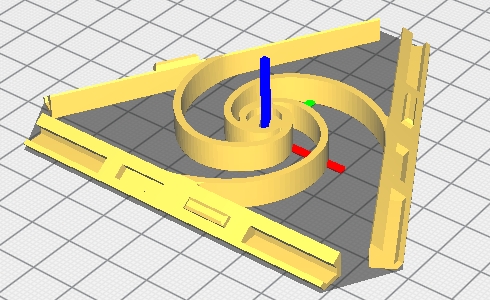
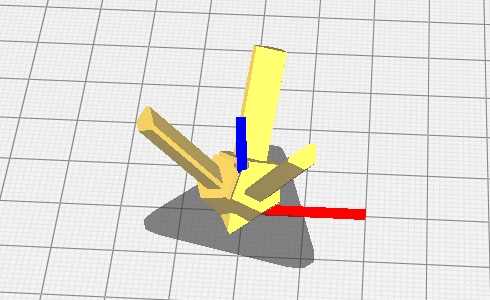
The STLs are available for download here. (They are not in the right orientation for 3D printing!)
Springs
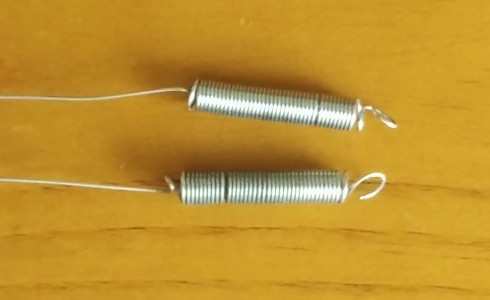
The springs used in the chassis were made by hand and they were tuned to the needs of the application. Wire of 0.6mm diameter was tied around a cylindrical screw driver clamped on a drill's chuck.
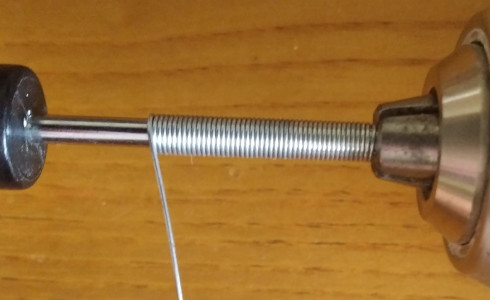
After forming the main body of the spring, pliers were used to form the edges.
Schematic
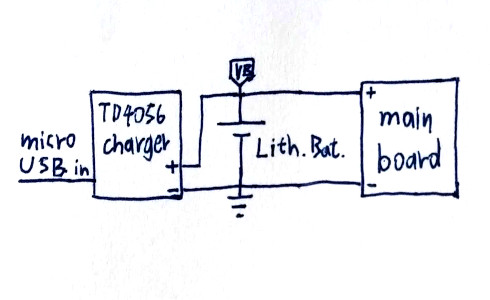
The main board, battery and charging board are wired in parallel.
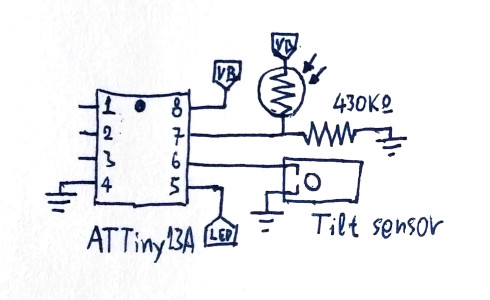
On the ATTiny13A board, the photoresistor in combination with the 430KΩ resistor form a voltage divider. Its output connects to pin seven on the microcontroller. Pin six's pull up resistor is enabled and it is used for reading the tilt sensor. When the tilt sensor is closed, it draws the pin low. Finally, pin five is in PWM mode and is used for supplying and dimming the LEDs.
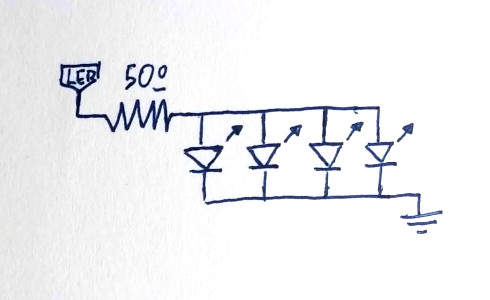
The 50Ω current limiting resistor is soldered onto the main board. Although it is not textbook not to use one current limiting resistor per LED, the limited space inside the origami demanded a small board. The one resistor setup was tested and since these LEDs drew approximately the same amount of current, this setup was used.
Circuit
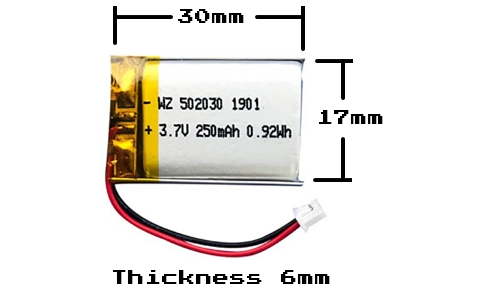
A 250mAh small lithium battery is used for powering the main board and LEDs.
A board based on the TP4056 lithium charger IC is used for recharging the battery through USB micro. The board was set for charging bigger batteries and the program resistor had to be changed to decrease the charging current. Fortunately, the datasheet of this IC is available online. The 1.2KΩ program resistor was located and replaced with a 10KΩ one.
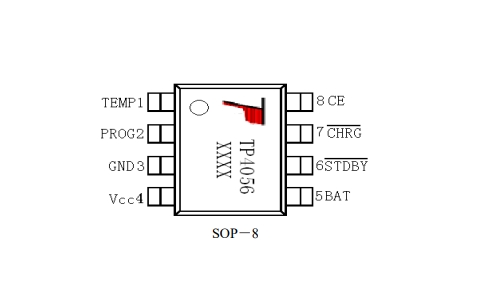
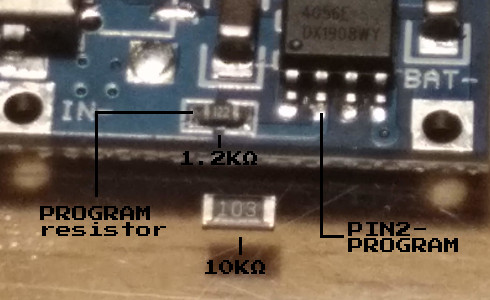
The replacement resistor was bigger in size but it soldered in place successfully. The datasheet for the TP4056 IC is available here.
The 10KΩ program resistor sets the charging current to 130mA according to the datasheet and it is the minimum current available for this IC. Unfortunately, this battery is rated for 125mA maximum charging current but has also a protection circuit. Nonetheless, the setup was tested and during the charging procedure the maximum observed current was 108mA. After charging the battery and confirming that its maximum rating was not exceeded the setup was used.
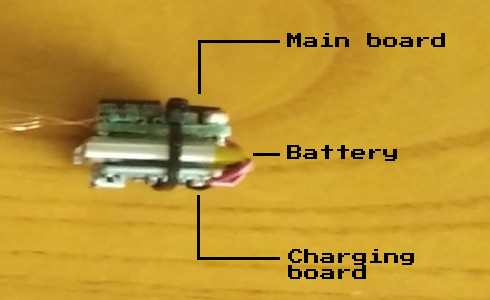
The lithium charging board, the battery and the main board were wrapped in electrical tape and tied together with a small zip tie.
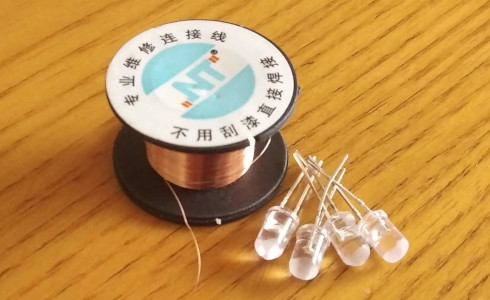
The LEDs were sanded in order to diffuse the light better. They were attached to the main board with 0.1mm copper wire. This thin copper wire was chosen because it does not cast significant shadows that could hinder the aesthetics of the origami.
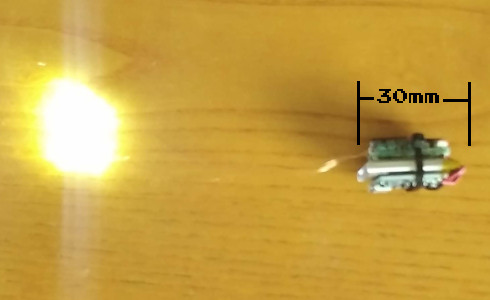
The main board consists of the microcontroller(ATTiny13A), two resistors, one capacitor, one photoresistor and the tilt sensor.
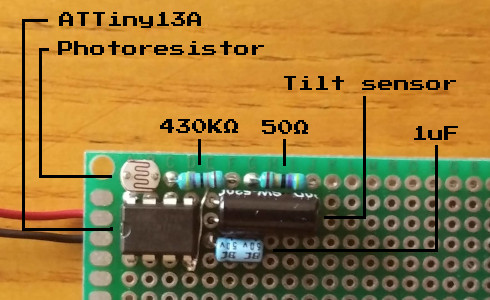
The components were put together on a piece of prototyping board and were packed together as tightly as possible. Afterwards, the board was cut out using a rotary tool.
Code
The code for the ATTiny13A microcontroller was written using Atmel Studio 7 and was later written to the chip using USBASP as the programmer.
The code is very well commented and is available on GitHub here along with the entire GccApplication from Atmel Studio.
The chip is set up to use its internal oscillator as a clock source at 8MHz. Timer 0 clock is prescaled by /256 and the timer 0 overflow interrupt is used for measuring time in seconds. The tilt sensor output is read using a pin change interrupt on PINB1. The light sensor is hooked on PINB2 and is read once every 8 seconds in the watchdog timer ISR which also wakes the chip from sleep. The chip reads the sensor in microseconds and goes back to sleep immediately so the battery consumption is negligible. Power down sleep mode is used to lower the power consumption when the chip is idle. Finally, PWM on PINB0 is used to dim the light on and off smoothly.
Aside from the IC that indeed draws bellow 1uA in sleep mode, there is extra leakage in the light sensing voltage divider (4uA to 8uA dependant on incoming light) and there is also possible leakage in the tilt sensor (the AVR's internal pull up resistor remains active in sleep mode and if the tilt sensor happens to be in the closed position a leakage of 210uA will be present). These are problematic behaviors that will be dealt with in future versions.