Physics timer
Summary
This is a timer with precision to the millisecond. It uses two sensors to operate. When the first sensor triggers, the timer starts. When the second sensor is triggered, the timer stops. The timer is destined to help in small, in-class physics experiments. In this page there are necessary files and information for building this timer.

The timer uses 3 AAA batteries in series and draws about 75mA on average. That means these batteries should last for roughly 6-7 hours of use. After 1' of being idle, the timer enters sleep mode and the amount of current drawn is negligible(<0.1uA). It should have a shelf life of tens of years.
Using the timer
When placing the sensors at a known distance apart, the speed of an object can be estimated by dividing this distance with the measured time. It can help in measuring pendulum periods or the speed of an object after rolling from a ramp. This could help students see how the numbers they calculate using the physics equations are good approximations of real world phenomena.
In this video the two sensors are set 10cm apart. A small paper ball passes by them and a time interval of 79ms is measured. Dividing the traveled distance with the time measured gives a speed of roughly 0.1m / 0.079s = 1.27m/s.
How to operate
Other than the sensors, the only input the timer has is a button. To turn on the timer the button has to be pressed once.

Once turned on, the timer can be in one of these three states - ready, running or stopped.
- Ready - the timer enters this state when it is first turned on or when the timer is in the stopped state and the button is pressed once. The display shows blinking zeroes in this state.
- Running - when in the ready state, the timers starts running if the button is pressed once or if the sensor A is triggered. On the display the timer starts running.
- Stopped - when in the running state, the timer stops if the button is pressed once or sensor B is triggered. The display shows the measured time.
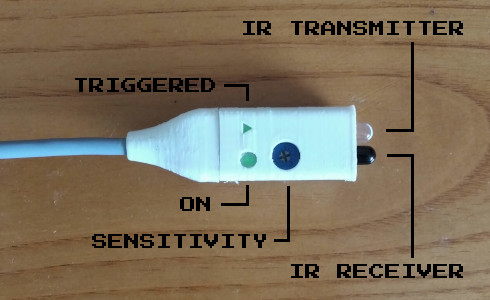
Before taking a measurement it must be ensured that the sensors are triggered when the object passes by them. When triggered a green triangle lights up on the sensors. If a sensor is not working properly, its sensitivity can be adjusted with a phillips screw driver. The sensor works by emitting infrared light and measuring its reflection on the passing object. External sources of infrared radiation can trigger the sensors and result in a bad measurement.
Schematics
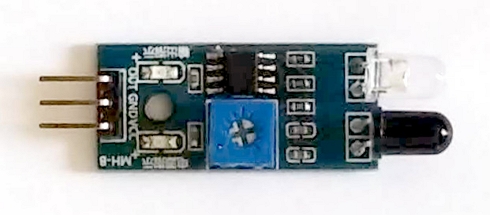
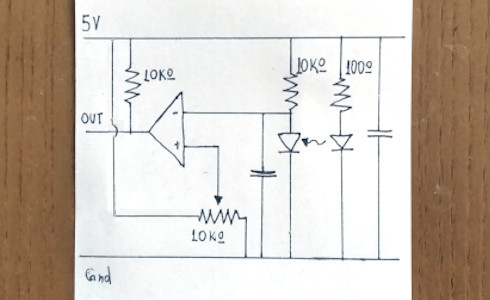
The IR sensors use a board usually sold as "Infrared sensor for Arduino". The schematic is a pretty standard comparator configuration.
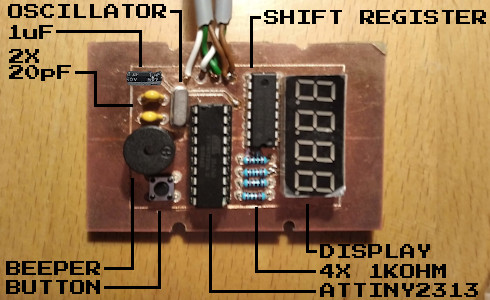
The main board on the timer uses an ATTiny2313a. A standard configuration for an external oscillator is used. The 4 digit 7-segment display is run using an 8-bit shift register (Texas Instruments SN74HC595N). There are also 4 current limiting resistors - one for each digit of the display. On the bottom side of the board there is a beeper, a pushbutton and a filtering capacitor for the IC.
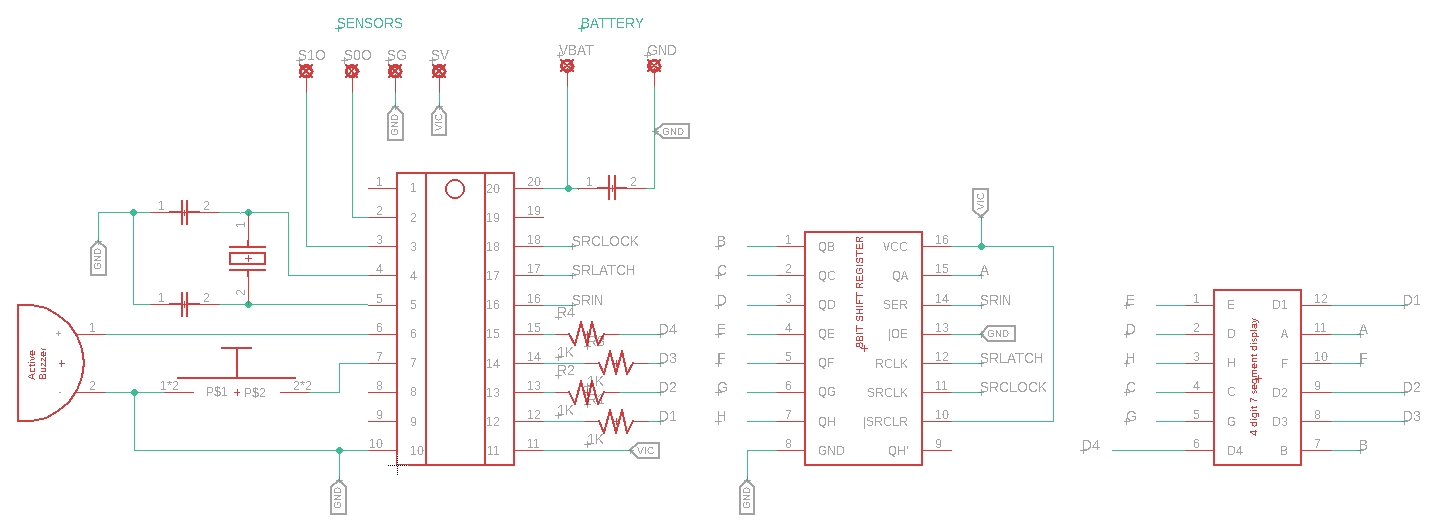
Circuit board
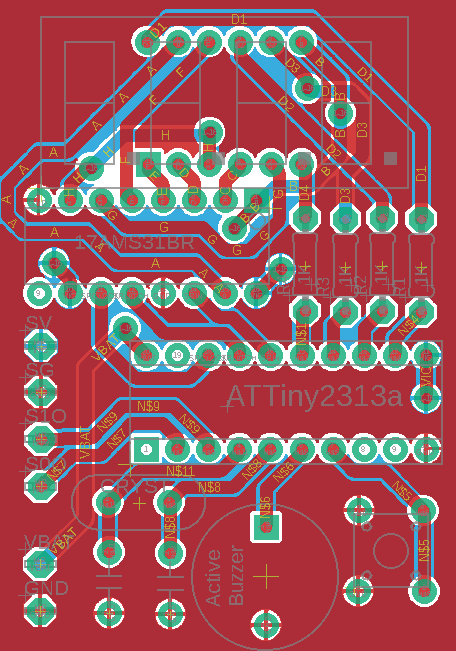
The board was designed in EAGLE. The components were packed as close as possible. Thermally relieved vias were used for hand soldering them in stead of rivetting. (The silk screen below does not contain the filtering capacitor for the IC. It should be added between GND and VBAT)
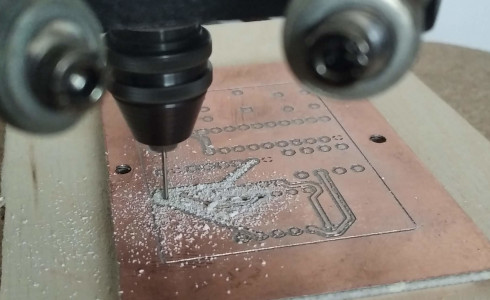
The double sided board was cut using FlatCam and a 3D printer that was converted to a milling cutter. (Available as a project here)
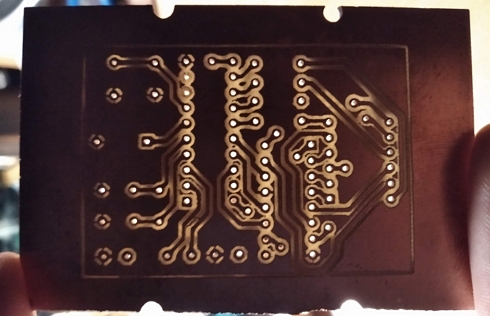
The gerber and drill files for the board are available for download here.
Programming the AVR
The code was developed in Cpp using Atmel Studio 7. The chip is operated on an external 16MHz crystal oscillator. The chip's timer 0 overflow interrupt is used for all the timing needs. A pin change interrupt is used to read the sensors with precise timing. The source code is well commented and can be downloaded along with the compiled .hex file here.
Casing
The case for the timer was designed in Fusion360. The main unit's casing can be 3D printed without supports. It features a print in place hinge, a clip-in circuit board mount and a bending push button cover.
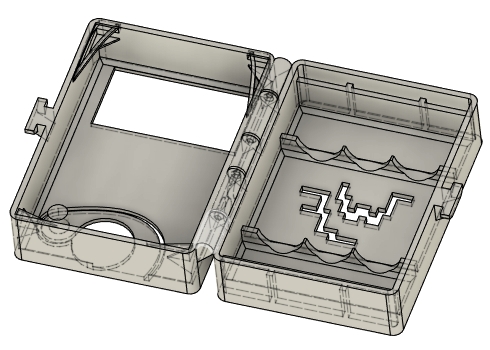
The sensor's casing bottom part needs a couple supports to be printed correctly. The two halves of the casing clip together.
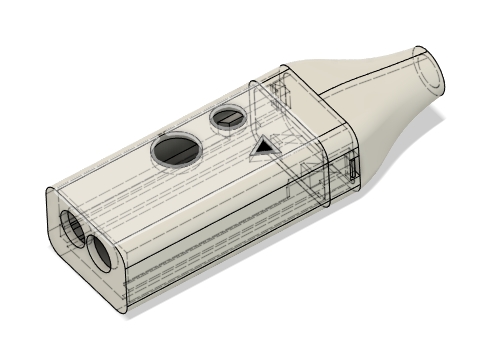
To download the casing's STL files click here.