3D printer to CNC mill
Summary
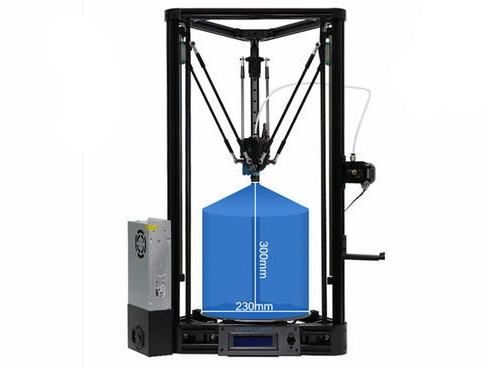
Any FDM 3D printer can be converted into a CNC milling machine. This project revolves around a Kossel Linear Plus 3D printer. Nonetheless, there is useful information here that applies to converting any printer. In this project there is information about turning any 3D printer into a CNC milling cutter.
Concept
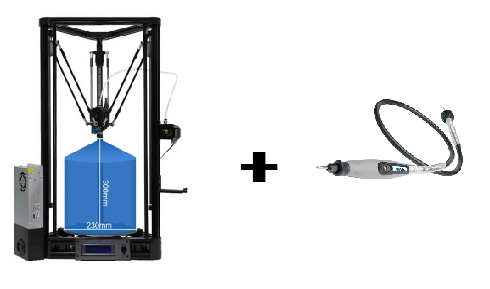
The main idea behind converting the printer is removing the 3D printing head and then finding a way to attach a rotary tool handpiece in its place. It is also advised to replace the print bed with something like a thick piece of plywood in order to avoid damaging the smooth printing surface during milling jobs. Finally, the preferred CAM software can be used to produce Gcode for any milling job.
Print bed replacement
Preferably a soft material such as wood should be used as a bed for cutting. A soft material can forgive an unexpected thrust onto it by being easily punctured while a harder material could cause bigger forces onto the chassis of the printer in such a case.
The bed of the Kossel printer was not replaced. In stead a thick piece of plywood was cut to fit snugly above the print bed.
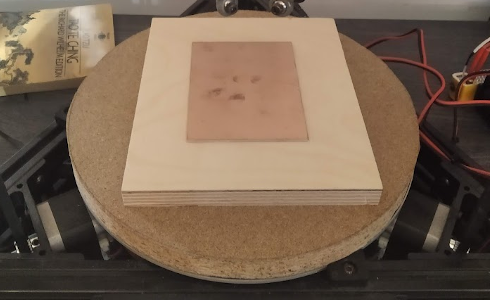
The plywood was wedged very tightly between the print bed's supports and there was no need for any fasteners.
Attaching the handpiece
There are three roots one can take for attaching the handpiece to the printer:
- Designing and 3D printing a mount for the handpiece.
- Searching for a design on Thingiverse.
- Making a DIY mount - 3D printing is not always the solution.
For attaching the handpiece on the Kossel Linear Plus, the 1st root was followed. The print head's base and the handpiece were photographed and inserted to Fusion360.
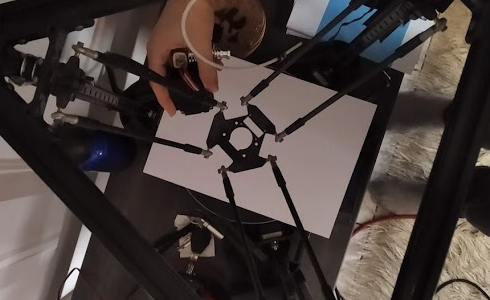
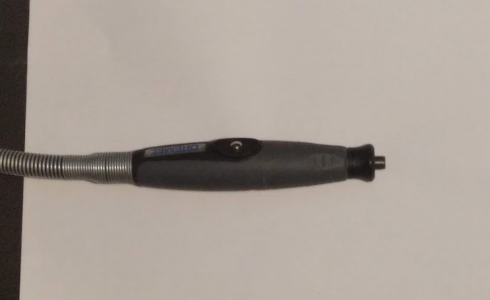
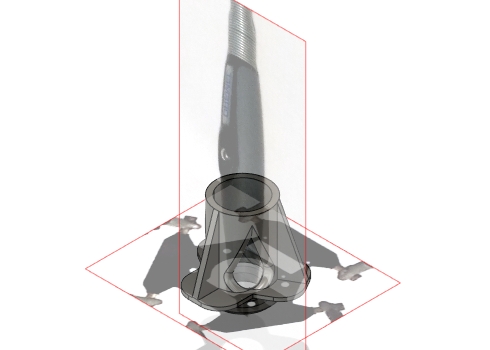
The final design uses a feature of the handpiece to lock it in place. The bottom part of the handpiece unscrews and detaches from it. The hand piece can then be inserted in the mount from the top. When the detachable piece is screwed on it again from the bottom, the handpiece is wedged tightly in place. It is quite sturdy, easy to install and uses no fasteners.
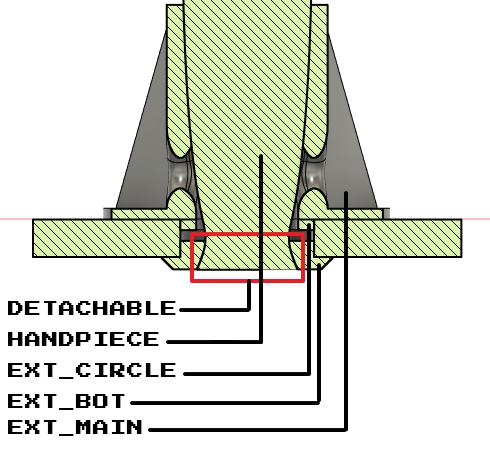
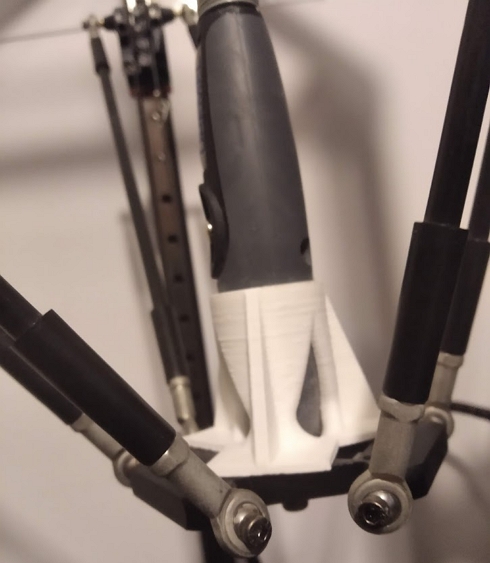
The EXT_CIRCLE part is glued to the EXT_MAIN after printing. The STL files for the mount can be downloaded here.
Rotary tool positioning
The rotary tool should ideally be hanged above the printer so that the handpiece wire is loose and at the same time not bent too much. On the Kossel delta printer the rotary tool was hanged up-side down from the printer's chassis for a more compact build. This hanging chassis mount isolates the vibrations of the tool from the chassis of the printer.
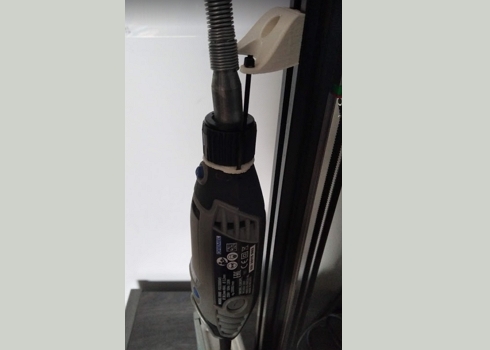
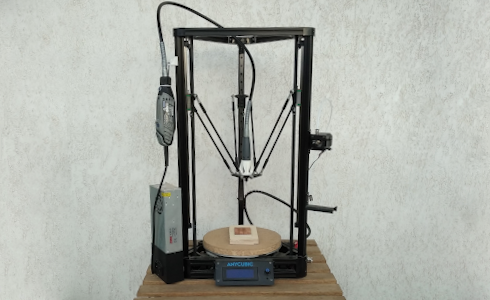
The STL files for the rotary tool mount can be downloaded here.
Auto bed leveling
When using a V-bit to engrave PCBs, the engraving height should be stable throughout the process and very precise. A small diversion in the engraving depth would affect the engraving width. Thankfully, the 3D printer's auto bed leveling feature can be used to precisely sample the copper's position.
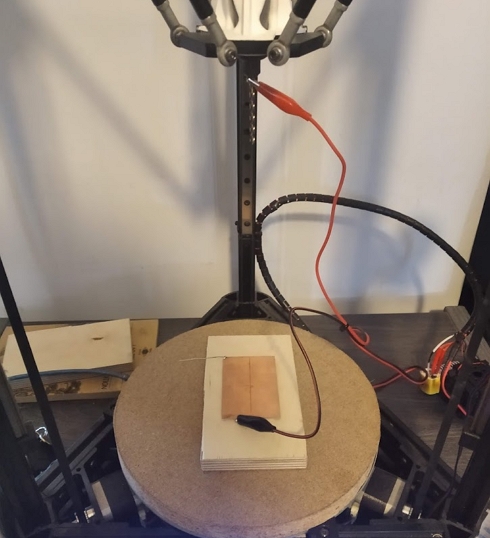
After attaching the V-bit and placing the copper clad board, the two of them are connected to the auto bed leveling switch input with alligator clips. During the auto bed leveling process, the V-bit approaches the board and when they touch, continuity between them triggers the auto bed leveling switch. If for some reason continuity is not achieved on contact, the printer's head will keep proceeding downwards and crush onto the bed! That's why it is important to ensure that the auto bed leveling switch does indeed trigger on contact before starting an auto bed leveling procedure.
Trigger polarity issue
On most printers the polarity of the auto bed leveling sensor is "triggered while open" by default because it is safer. This polarity will not work in this case since a trigger is needed when there is continuity, when the bit touches the copper.
In the marlin firmware there is no command for inverting the polarity of this input. The marlin firmware must be adjusted, compiled and rewritten on the printer's board. In order to avoid this timely process every time the printer is used for milling, a small circuit that inverts the input pin's polarity was designed.
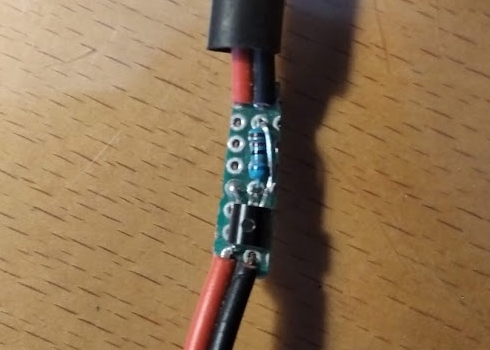
This circuit is available as a project here.
Milling bits
Since the concept revolves around a Dremel-style handpiece, the useable bits will be limited in diameter. This should not be a problem since using bigger bits would cause greater cutting forces and strain the printer and the rotary tool anyway. By default rotary tools accept bits with 3.2mm shaft diameter.
Various 3.2mm milling bits can be found from online vendors such as eBay. The listings usually include terms such as "PCB Drill Bits Engraving Cutter CNC".
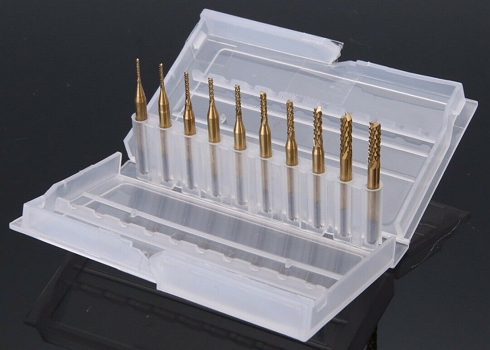
There are also some sets of V-bits useful for engraving and PCB manufacture.
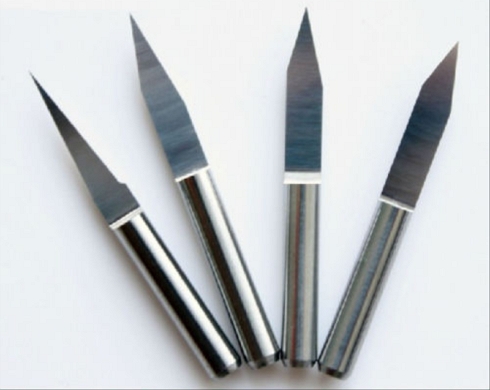
Pitfalls
Things that require attention:
- The Gcode CAM software like FlatCam produce is intended for actual milling machines and not 3d printers. Consequently, the Gcode includes commands for tool changing or others that are not supported by 3D printer firmware like Marlin. These commands can result in undefined behavior from the printer - it could execute unexpected movements and damage itself. The only solution is manually editing these commands out of the Gcode using a text editor. The final Gcode commands that are fed to the printer should be compatible with the printer's firmware.
- Before starting milling it is very important to make sure that the machine is set with the correct z-height after every tool change. When the bit is changed to one that is longer, the print area height setting should be changed accordingly. Executing and inspecting some manual movement commands along each axis helps ensure that the end of the milling bit is positioned correctly by the printer.
- 3D printer chassis are not designed to accept milling forces. The milling job should be rendered in such a way as to limit the cutting forces as much as possible. Cutting speeds should be kept low and little material should be removed with each pass.
- The handpiece used should have no play on the x,y or z axis. If the CNC's cutting is somewhat inaccurate, check for any loose movement on it's chuck.
Implementation
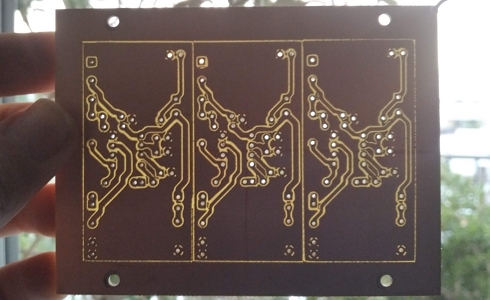
The modded printer was used to engrave a PCB for another project, the Physics timer.
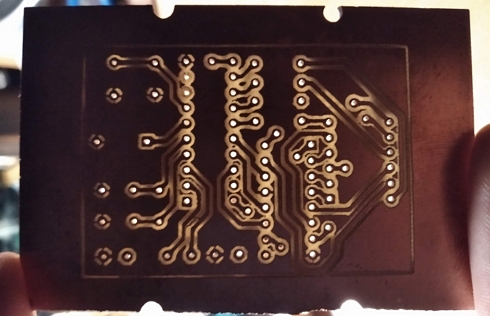
It was also used for the Piezoelectric preamp project where a time lapse(x10) video of the process was taken: